To turn off auto-renewal, you'll need to Cancel your membership. Don't worry — you will still have Premium access for the month (or year) you previously paid for.
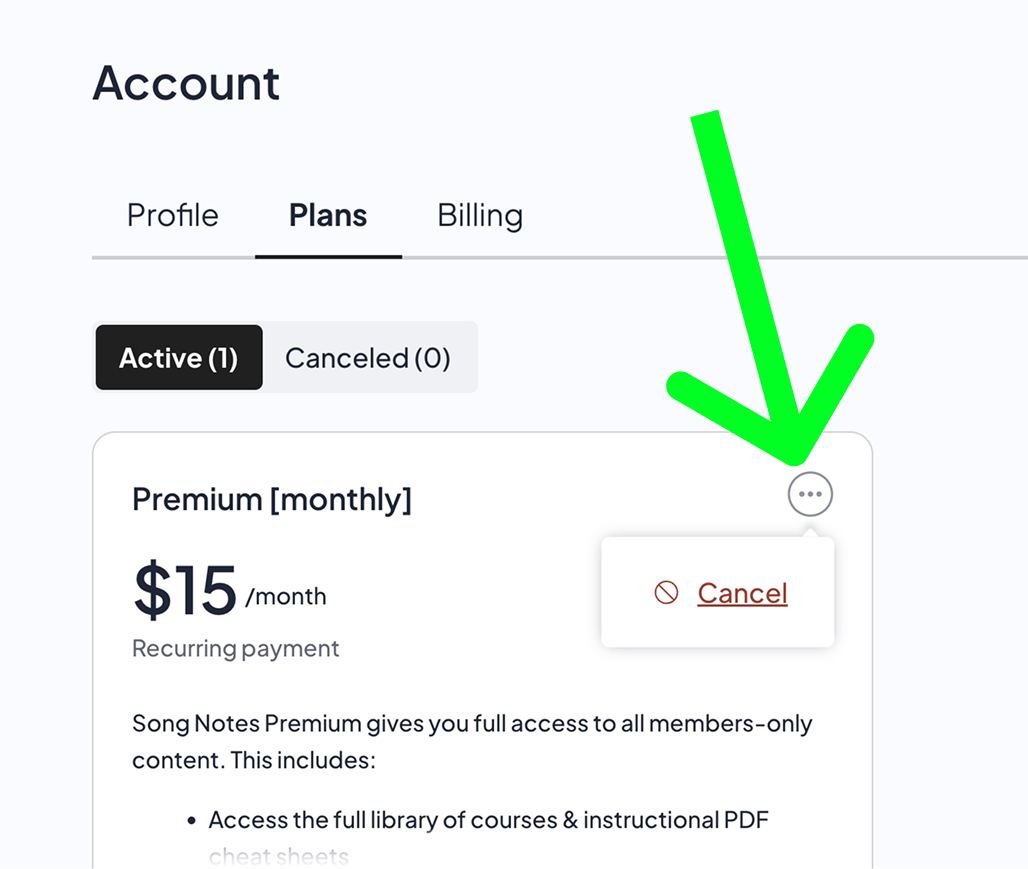
Select the Plans tab in the interface above, and then click the icon with the three dots in the top-right corner of your current plan.
This reveals the Cancel link — click it!
When the month (or year) you previously paid for eventually ends, you'll get an automated email letting you know Premium access has expired.
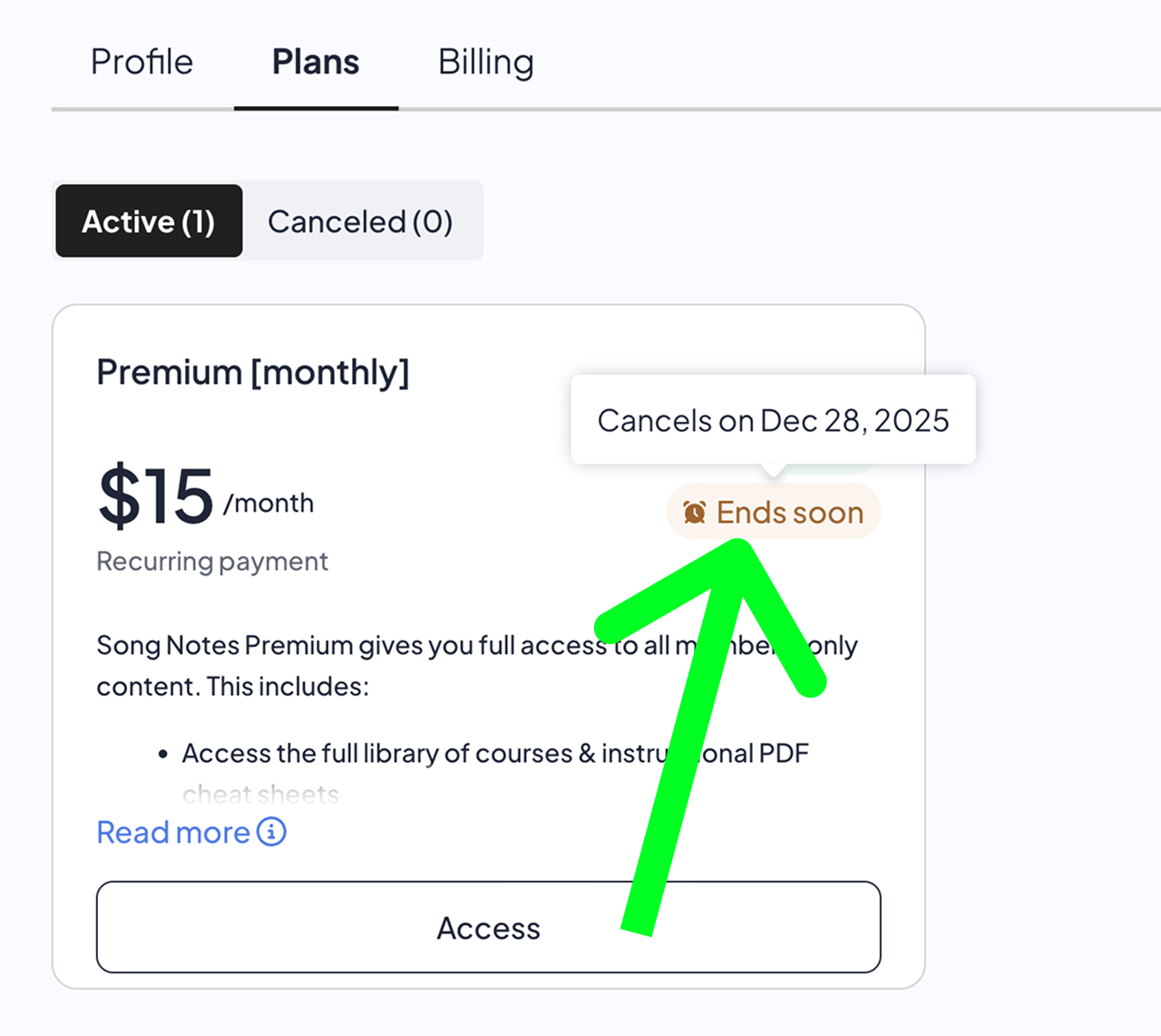
In the meantime, you can see the date your current access expires by hovering over the Ends soon badge in your account details:
You are always able to re-join a paid plan at any point in the future.

 Premium
 VIP
VIP Beta Tester